14-12-2023
12:20
Our team sorts through all blog submissions to place them in the categories they fit the most - meaning it's never been simpler to gain advice and new knowledge for topics most important for you. This is why we have created this straight-forward guide to help you navigate our system.
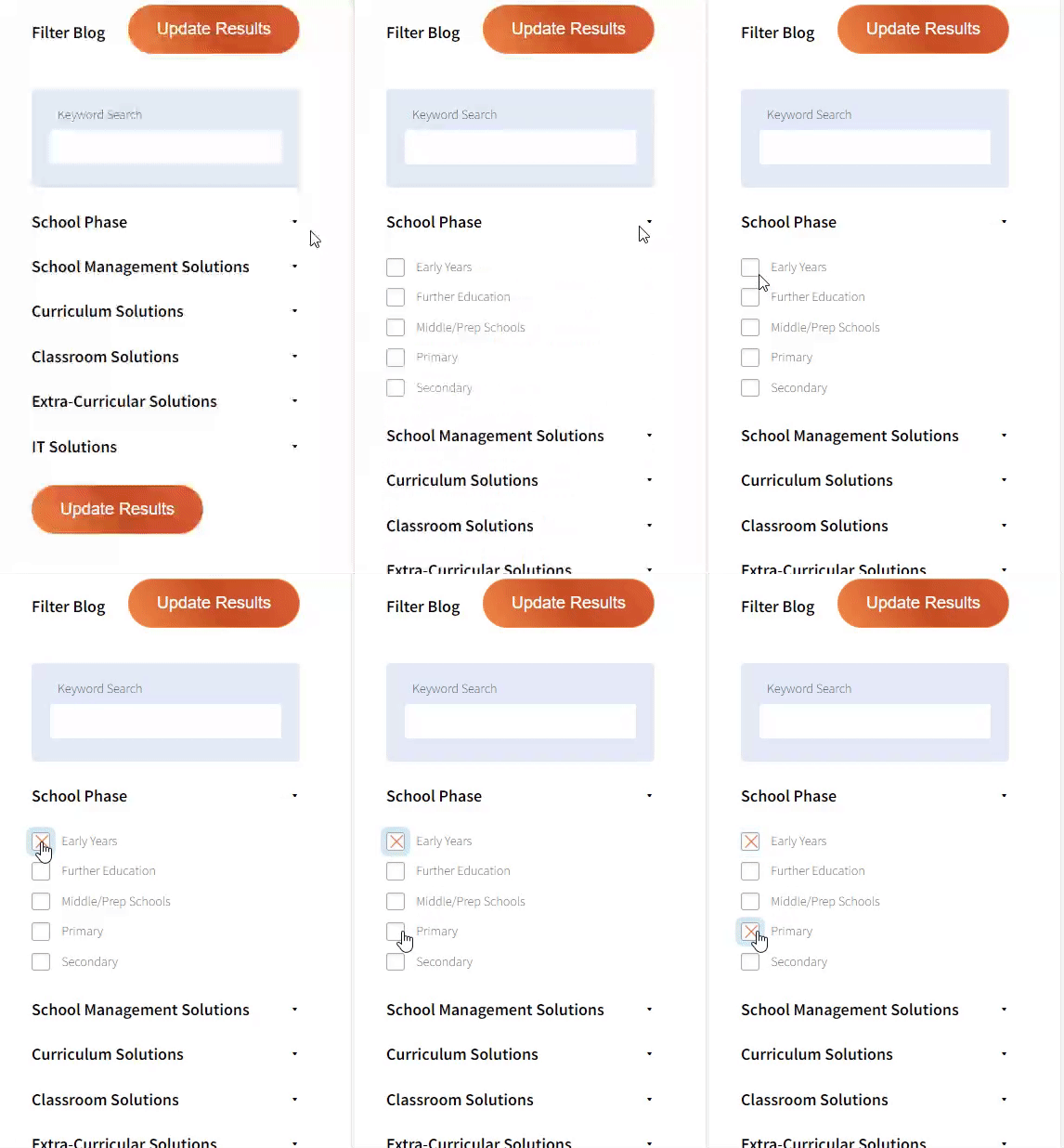
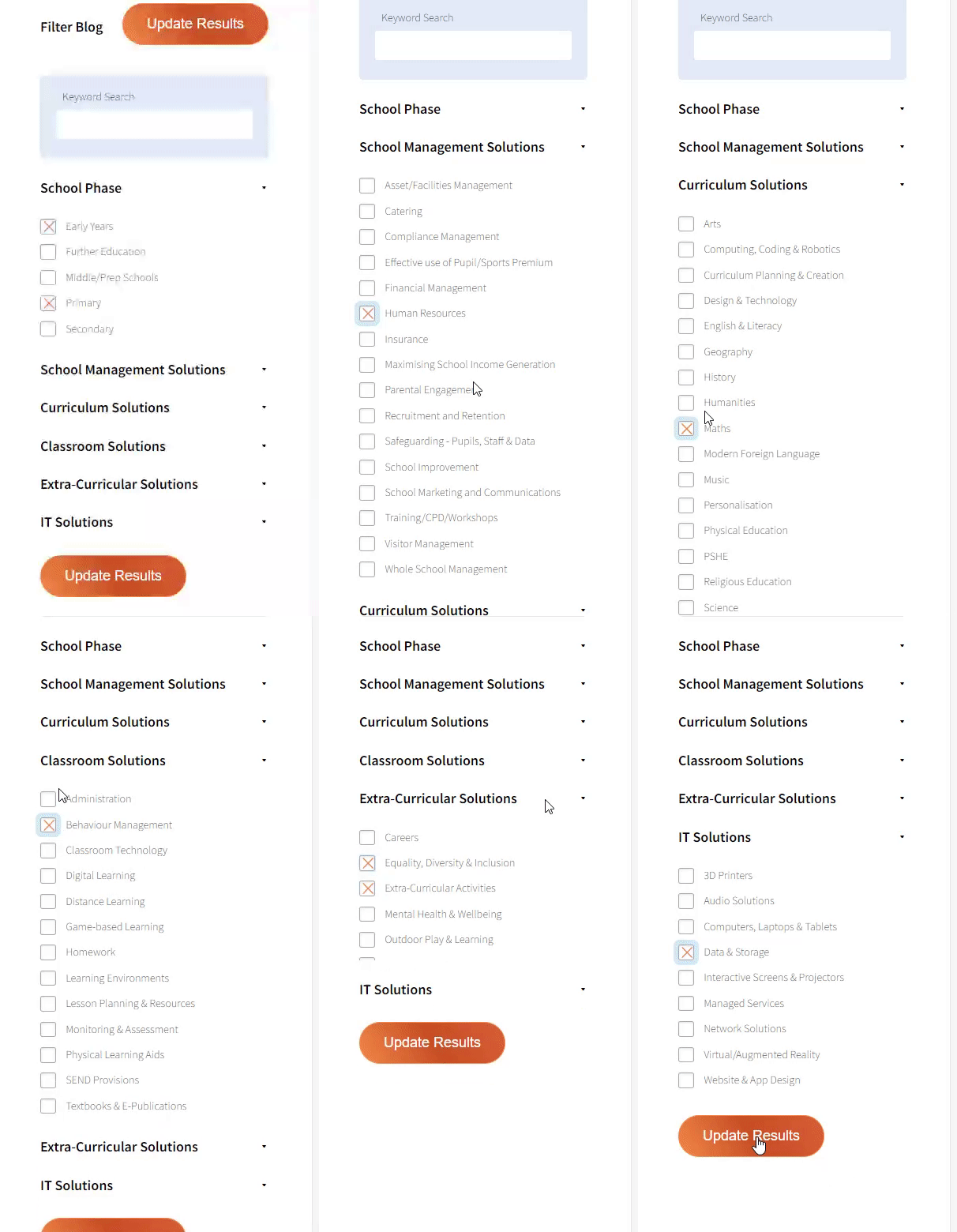
And there you have it! Now your collection of blogs are catered to your chosen topics and are ready for you to explore. Plus, if you frequently return to the same categories you can bookmark your current URL and we will save your choices on return. Happy Reading!
With an ever-expanding volume of images and content flooding our students’ phones. It can be difficult to get them to engage with ideas in the classroom. However, utilising digital moodboards can be a great way to get students to interact with material and give teachers an insight into their frame of mind.
Moodboards were once the remit of designers or professional shoppers. They are digital boards where you can insert images and text based around a central idea. So, for example you can have a moodboard about trees, with a picture of a leaf, or a branch, or even a forest and have them all on one board with some text (in an appropriate font) and perhaps some nature themed animations or logos.
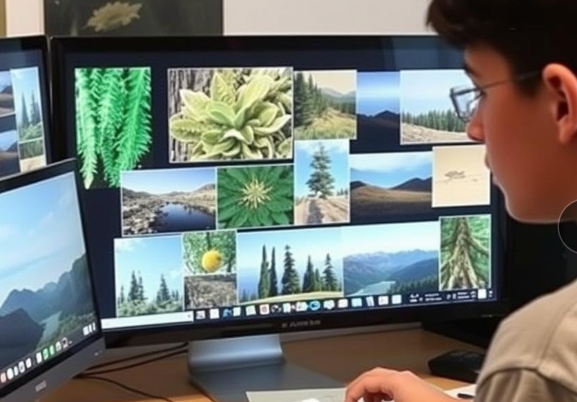
A moodboard isn’t so much about a set plan. It’s about gathering ideas that may lead to a plan. So, with our moodboard about trees, you may not use all the images or text, but it is all in one place and ready for selection.
In the classroom, it could be used to create interest in a topic, develop lexis and check for comprehension. So, let’s assume that a teacher wanted to teach about daily routines. The students just open their app, which can be Canva or Pinterest or one of the many others (some of which even have educational versions). They select a nice background, which they like, for their board.
Immediately they are learning, the background colour or format provides an insight into the student’s frame of mind towards the theme. Is it mellow with nice beige colours? Is it harsh reds? Or is it a basic functional white? The teacher can already glean a lot.
Then there are different images, such as clothes, transport, study; that tell us what the student believes a day is made of. There may be some students who fill their moodboard with lipsticks and different shades of makeup, along with nice outfits, jewellery and accessories for the day. They can also insert a colour guide for different hues.
Other students may have very functional moodboards. It could have strong wood colours with tools and vehicles and possibly some street signs. Conversely, you may get students who create a moodboard all around food. They may have different breakfast selections, teas, juice and some quirky restaurant or café signs.
So, with a theme of ‘Daily Routine’ we have already gleaned what student’s priorities are. Some are fashionable, others practical and others are foodies. If it is especially artistic then you could suggest some design classes.
This is also useful to spread lexis and check comprehension. With a little screen sharing magic, the class could see each student’s moodboard and learn different words for items or colours. The teacher could also use it for comprehension, maybe to get the students to explain each other’s moodboards.
The great thing about using the digital version, is that images can be changed and moved around easily and elements can be added and edited. This is a vast improvement from making a physical moodboard with paper and glue and pictures from magazines. Not every magazine is going to have your style or preferences in it. Also, it is good for the environment to not be using all that glue and paper.
Moodboards can be a great way to get students to interact with a topic. It also highlights their comprehension and allows the teacher to introduce some nice lexis. Additionally, the teacher can create their own moodboard at home. This way they can have an idea of what they want in a lesson, before they develop it into a full lesson plan. By using moodboards both the student and teacher can be inspired and moving forward it may even become a vision board for their future success.






Are you looking for solutions? Let us help fund them! Nexus Education is a community of over 11,000 schools that come together to share best pract... View More
Established in 2011, One Education is a company at the heart of the education world, supporting over 600 schools and academies. Our unique appeal a... View More
School Space is a social enterprise that has empowered schools for over 14 years through their profitable and hassle-free lettings services. So far... View More
Unify is an online sales and marketing tool that allows users to create tailored personalised documents in moments. View More
There’s nothing special about the energy we sell. In fact, it’s exactly the same energy as all our competitors provide. But there is something spec... View More
Securus provide market-leading monitoring solutions to safeguard students on ALL devices both online and offline. We also offer a full monitoring s... View More
Robotical makes Marty the Robot - a walking, dancing coding robot that makes programming fun and engaging for learners as young as 5. Our robots co... View More